Model Options
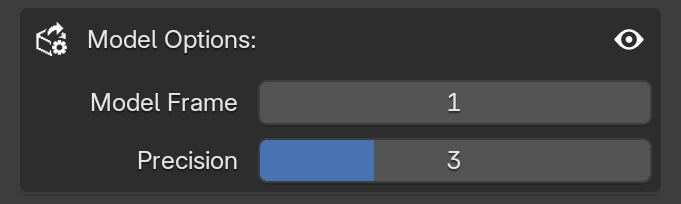
This area only appears when the Export as is set to Model. Since models have a simpler logic compared to Animations, only this single panel is necessary.
Model Frame

This slider defines the exact frame from your Blender timeline that will be exported. The addon takes the position, rotation, and scale of all valid objects on the selected frame and exports them as a Model project.
Experimental
Even though it works normally in-game, the file structure for the Model type is currently in an experimental phase, as there are some tweaks we can make to further improve models in the future.
Precision

The precision slider controls the number of decimal places used for all transformation data (position, rotation, and scale). This determines the exact placement and proportions of your objects when they are summoned in-game.
- Default: By default, MC Animaker uses three decimal places (e.g.
1.123). - High Precision: You can increase this value up to 10 (e.g.
1.1234567890). - Grid Precision: Uses zero decimal places (e.g.
1), rounding the numbers to the nearest whole integer. This makes the animation look completely "snapped to the grid".
File Size & Performance
Since models are essentially just a summon command, the file size is very small, so you do not really need to worry about storage space. If you want maximum precision matching your Blender scene, feel free to use 10 here. Just be mindful of the total object count: spawning or loading a model with more than 1000 entities might cause a slight lag spike in the game.