Blocks
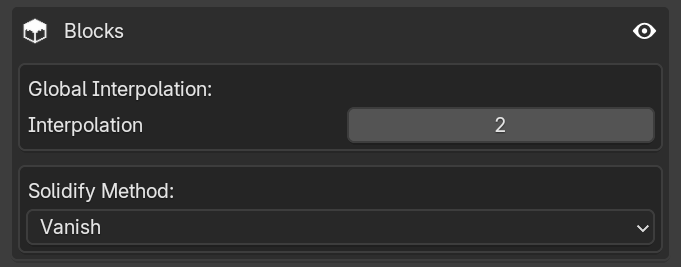
This area contains settings that affect the behavior of Block Displays. These adjustments are only visible when viewing the exported animation in-game.
Global Interpolation

Since Minecraft is limited to 20 "real" fps (ticks per second), this setting is ideal to prevent your animation from looking choppy in-game. It adjusts the interpolation_duration parameter on all block displays.
- Higher values: Make the animation smoother, but less precise to your Blender keyframes.
- Lower values: Make the animation more precise, but potentially less smooth.
Normally, you want something between 1 and 5 (the default is 2). However, if for some reason you need more than that, feel free to increase it.
High Values
Although not capped at a specific number, excessively high values can make the animation so smoothed out that it stops the block in place.
Solidify Method
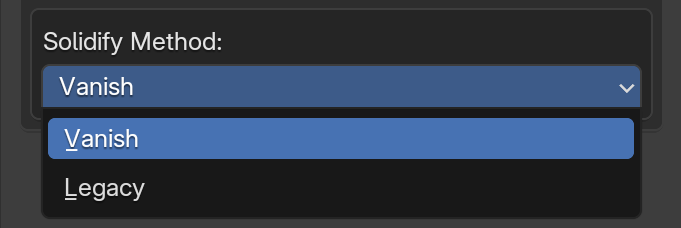
This dropdown controls the visual behavior of the Block Display when the Solidify option is enabled in its properties.
- Vanish: Shrinks the Block Display to make it practically invisible. This is ideal for interactable blocks (like doors or fence gates) because the visual display won't get in the way of the solid block.
- Legacy: Minimally shrinks the Block Display, just enough to prevent Z-fighting (textures flickering) when the solid block is placed.
Barrier Blocks
If the solidify ID is a barrier block (minecraft:barrier), the addon ignores this setting and maintains the exact size of the Block Display. This allows you to create solid blocks while retaining your custom visual.