Cleanup Tools
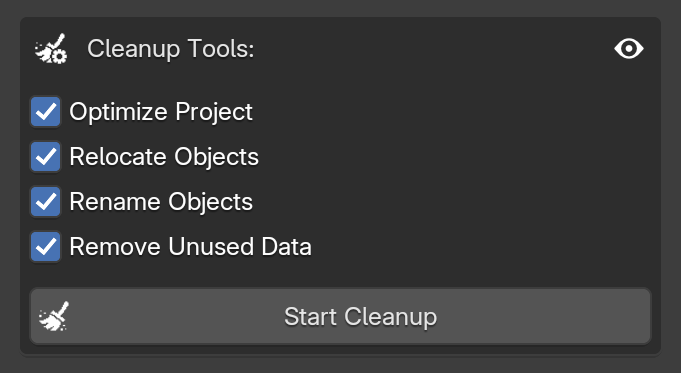
This area allows you to perform a cleanup process to keep your Blender project and Outliner organized. You can select exactly which operations you want to execute to keep your project clean and organized.
Cleanup Options
You can select exactly which operations the addon should perform by toggling the checkboxes below:
-
Optimize Project
Reloads original materials, removes duplicate materials, deletes unused images, and clears out any empty collections in your Outliner.
-
Relocate Objects
Automatically moves objects to their respective collections based on their type and ID. This process ignores any custom-named collections and the
Misccollection. -
Rename Objects
Renames all objects in the scene to match their current ID. This is a great bulk alternative to the automatic rename feature found in the Extras panel.
-
Remove Unused Data
A deep clean that completely purges all materials, images, and internal data blocks that are currently not assigned to any object in your scene.
Start Cleanup

Clicking this button starts the actual cleanup process based on the options you have selected above.
The addon will scan your current Blender scene and execute all the enabled operations automatically. This keeps your project clean and optimized, without needing to manually hunt down unused materials, delete empty folders, or rename objects one by one.