Schematics
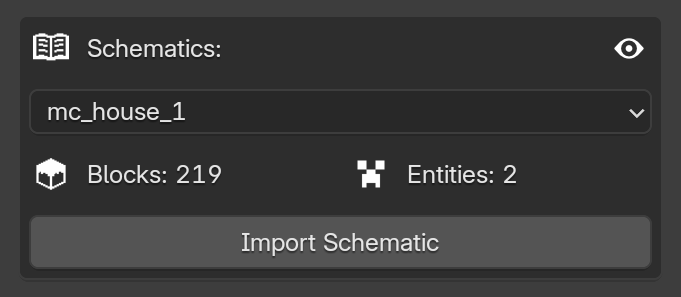
This area allows you to import builds saved in your connected world directly into your Blender scene with just a few clicks.
Schematic List
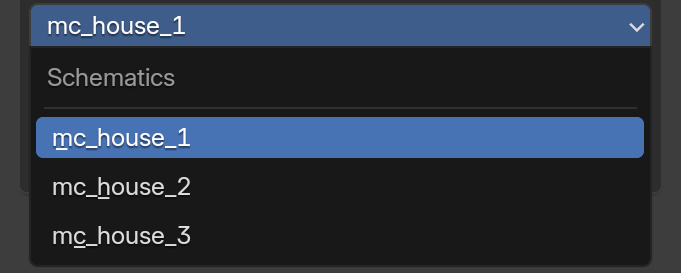
This dropdown menu displays the list of schematics available in your world. As soon as you save a new .mcaschem file in-game, the addon automatically detects and includes it in this list.
Object Count

These icons show the exact amount of objects included in your selected schematic.
- Blocks: Represents the total number of blocks.
- Entities: Represents the total number of entities.
The higher the quantity and variety of objects, the longer the import process will take. Currently, the limit is 1000 blocks per schematic, but this value may change in future updates.
Import Schematic

Clicking this button starts the actual import process. The addon will read the selected file and generate all the blocks and entities at the center of your Blender scene.
To make it easier to handle the imported build, the addon automatically creates a "controller" object (a wireframe cube). All objects from the schematic are parented to this controller. This allows you to easily move, rotate, or scale the entire build as a single unit, without needing to select individual blocks manually or worrying about accidentally grabbing other objects already in your project.
Import Time & Performance
Since MC Animaker works with individual objects (meaning 1 block equals 1 object in Blender), the import process may take a few moments to complete. This depends on your computer's hardware and the total object count, especially if your file contains a large variety of different blocks and blockstates.
Please avoid clicking on the Blender interface while the schematic is loading. Clicking around might cause Blender to freeze until the import is completely finished.